DEVUP Code
The Agent tab plans and edits your project with you, one task per tab. This page shows how to open it, what each mode does, how to review the changes it proposes, how to go back with Restore files, and the two settings that shape a task.
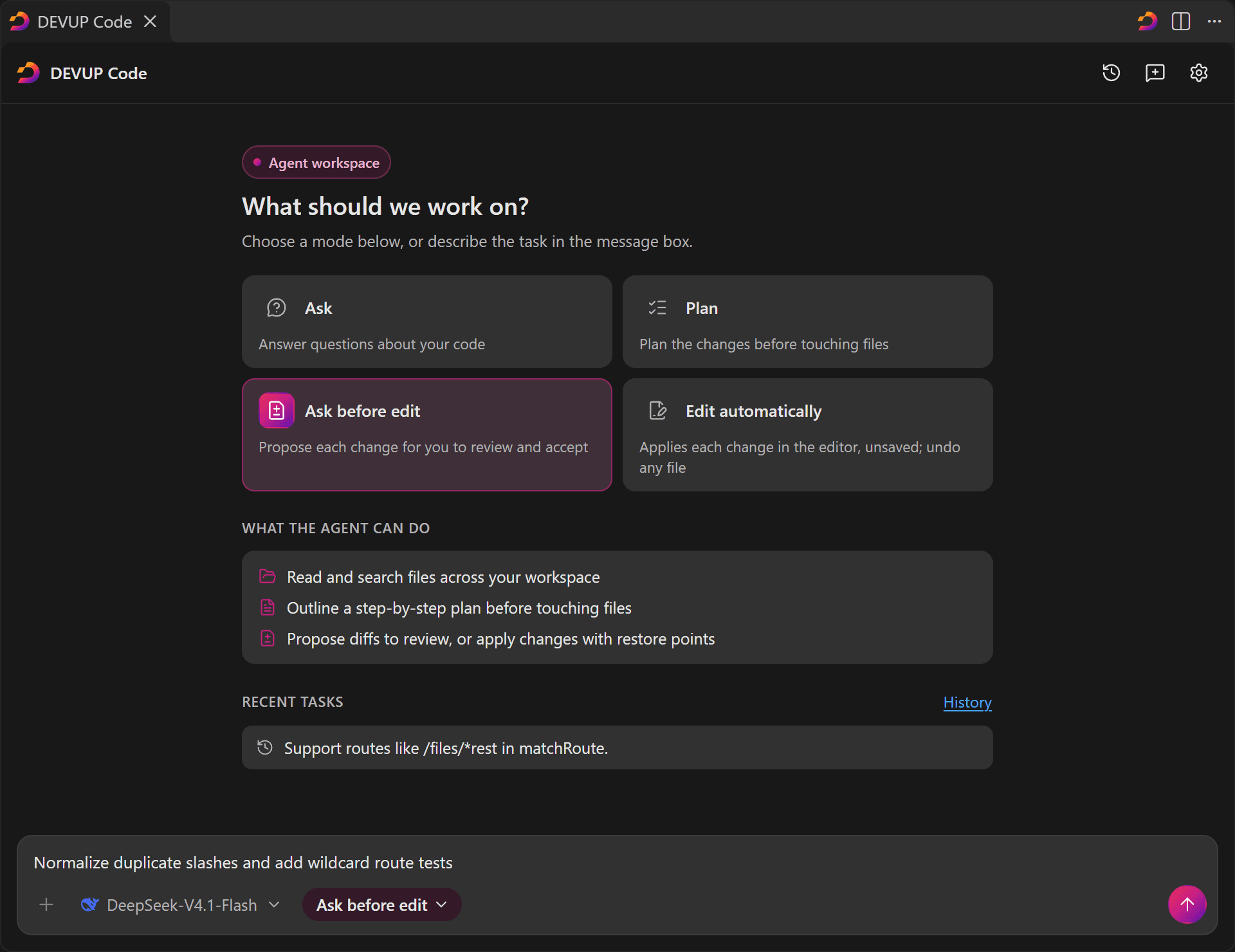
Attachments stay in the side panel: a task works from your message and the files it reads. To attach or upload files for a question, use the side panel as described in Files and context.
Press Shift+Tab in the tab's message box to move to the next mode. Under a finished Plan reply, Start with Ask before edit carries the same task on with the plan in context.
Whatever the mode, the agent lists, reads and searches the files of your workspace step by step, and each read is shown as a step in the reply.
A card asks Which files may this task read? once per task, before the first read, with three answers: Allow for this task, Only files I attach, and Choose a folder…, which limits the task to the folder you pick.
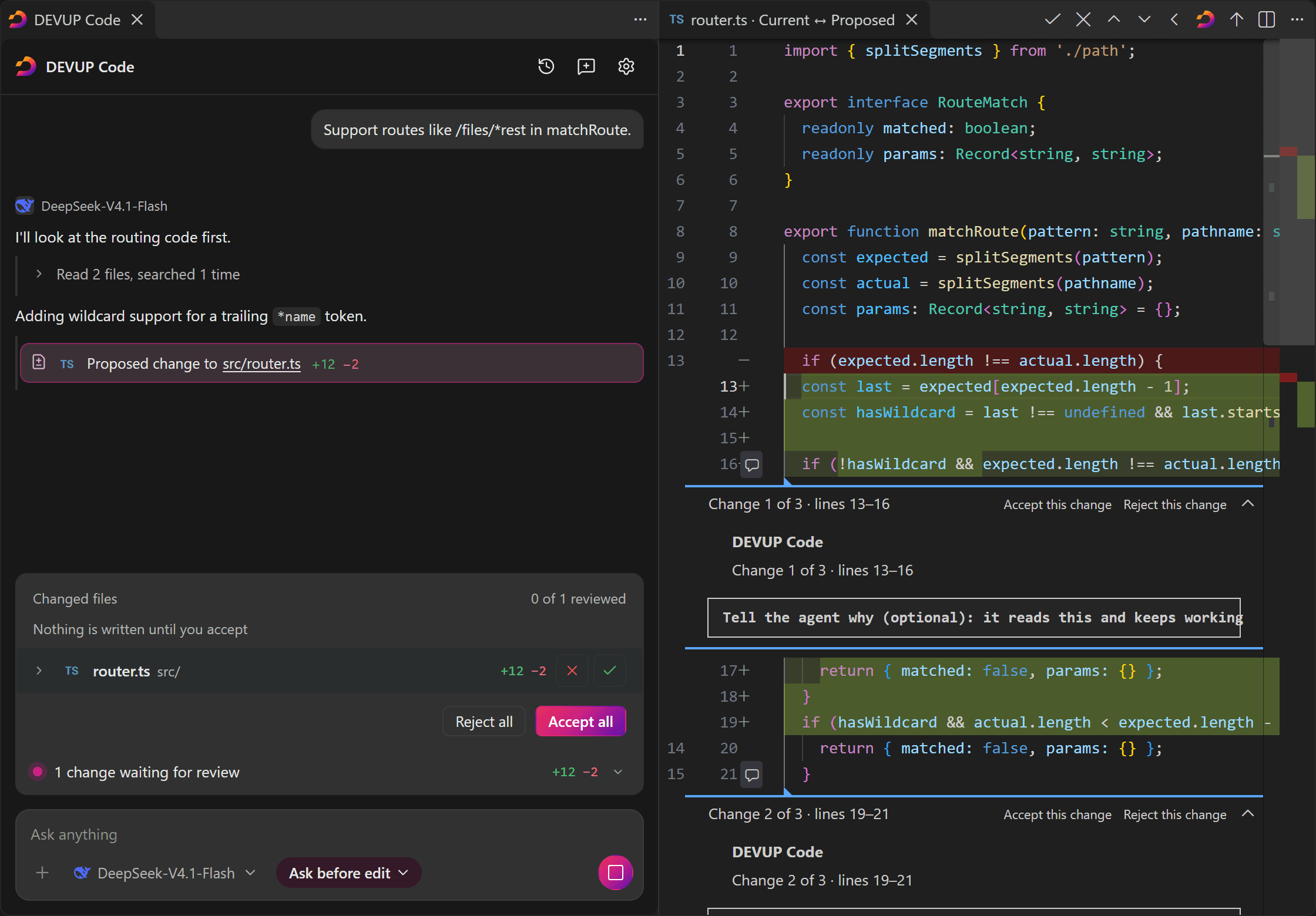
In Ask before edit, the changes strip above the message box lists the files the agent wants to change and says Nothing is written until you accept. Accept or reject each file from the strip, or use Accept all and Reject all.
Click a file's name to open its diff beside the tab. Each change in the diff has Accept this change and Reject this change, and a box where you can tell the agent why; it reads what you write and keeps working.
The diff's title bar decides the whole file: DEVUP Code: Accept the agent's change, or DEVUP Code: Reject the agent's change. Next to them, Previous file, Next file and Back to the agent take you to the other diffs or back to the tab. While a change waits, those two commands are in the Command Palette as well.
Once you accept, the change lands in the editor as an unsaved edit, and Undo takes it back.
The first time a file's change is accepted in a reply, its earlier text is copied first. Restore files, shown at the end of the reply and in the changes strip, puts every file of that reply back.
In Edit automatically, Undo and Redo work on one file at a time, and Undo all or Keep all apply to the whole reply.
devupai.agent.taskLimit: when a task would go past the limit you set, it pauses and asks whether to continue. Its default, 0, means no limit.devupai.agent.alwaysAskPaths: Extra files and folders the agent always warns about before it changes them, with a second confirmation at Accept. Use / between folders, as in the never-sent rules. The built-in list (editor and workspace settings, Git settings, CI workflows, agent rule files and similar) always applies and cannot be shortened here.The settings reference lists both, with every other setting.
In a workspace you have not trusted, the Agent tab offers the model no tools, so a task answers without reading files. Ask before edit, Edit automatically and Restore files are not available there. Trusting the workspace brings them back at once.
Each task is saved in History as a chat, on this computer, and an open Agent tab comes back after a window reload.
Attachments and uploads are made in the side panel. A task works from your message and from the files it reads in the folder you allowed.
No. Accepting puts the change into the editor as an unsaved edit that Undo takes back. Save the file yourself when you are happy with it.
In the Agent tab's message box it moves to the next mode: Ask, Plan, Ask before edit, Edit automatically.
