
Integrations
Kilo Code
Kilo Code is an open-source coding agent for VS Code. Add DEVUP AI to it as a custom OpenAI Compatible provider.
Prerequisites
- VS Code
- The Kilo Code extension (Marketplace ID
kilocode.kilo-code) - A DEVUP AI API key from https://devupai.com/dashboard/api-keys
Add DEVUP AI as a provider
Open Settings via the gear icon (⚙️) in Kilo Code, navigate to Providers, and select add a custom provider. Fill in the configuration fields:
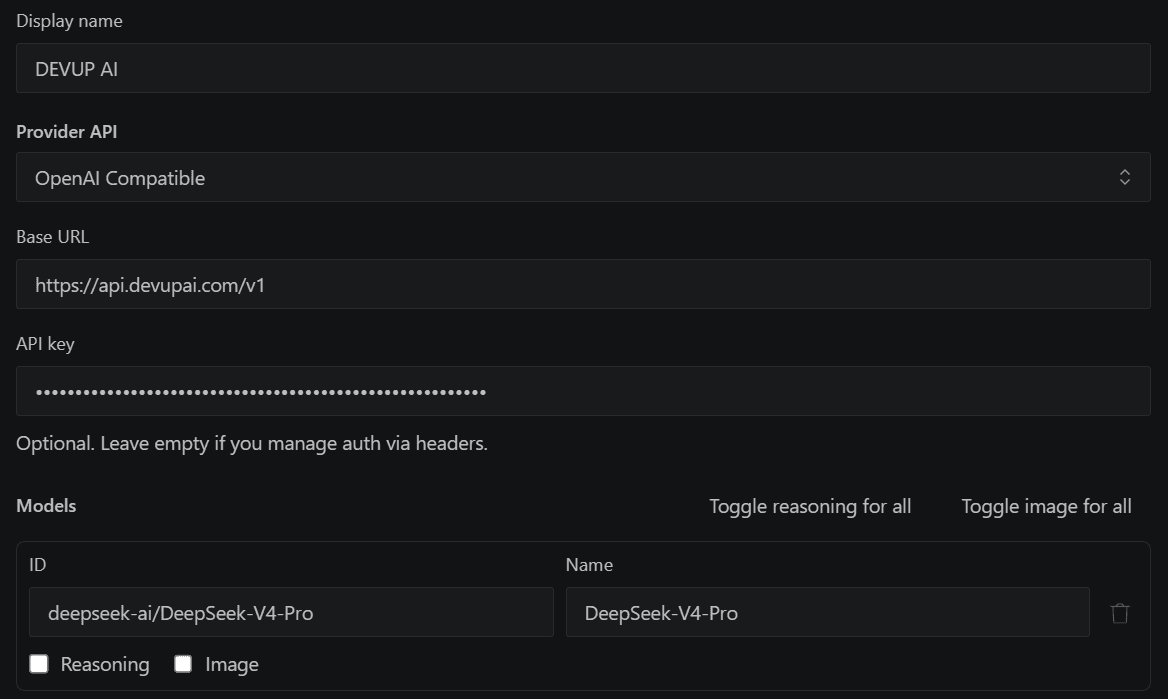
| Field | Value |
|---|---|
| Provider ID | devupai |
| Display name | DEVUP AI |
| Provider API | OpenAI Compatible |
| Base URL | https://api.devupai.com/v1 |
| API key | Your DEVUP AI key, as-is |
| Model | deepseek-ai/DeepSeek-V4-Pro |
Choose a model
Kilo Code loads the DEVUP AI model list. For agent tasks, pick a model whose catalog entry supports tool calling, for example deepseek-ai/DeepSeek-V4-Pro. Turn on Image only for models with vision support. See Tool Calling and Models.
Run your first task
Switch Kilo Code to Code mode and enter the prompt:
text
Create hello.py that prints "Salam DEVUP", then run it.Kilo Code asks for approval, writes the file, and runs it.
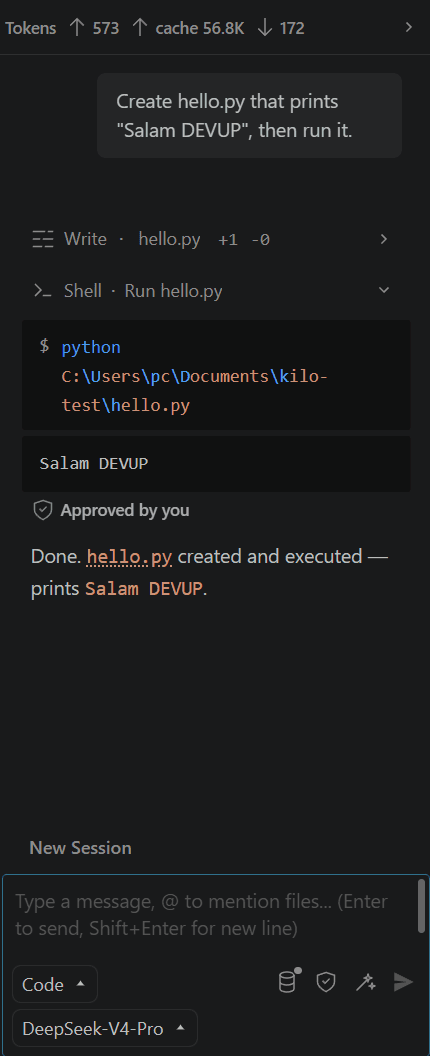
Prompt caching
Kilo Code shows cached input tokens in the task header when requests reuse the DEVUP AI prompt cache. See Prompt Caching.
Troubleshooting
- Provider ID rejectedUse lowercase letters, numbers, hyphens, or underscores, for example
devupai. - Authentication error (401)Paste the API key as-is.
- Model IDPick the model from the loaded list, or copy it exactly from the catalog.