
Integrations
Zed
Zed is an open-source code editor with a built-in AI agent. Add DEVUP AI as an OpenAI-compatible provider, and the Zed agent, the inline assistant and chat run on DEVUP AI models.
Requirements
- Zed 1.21 or newer;
- a DEVUP AI API key from https://devupai.com/dashboard/api-keys. Create a dedicated key for Zed so you can revoke it on its own.
Install Zed
On Windows:
winget install -e --id ZedIndustries.ZedOn macOS and Linux, download Zed from https://zed.dev/download.
Add DEVUP AI as a provider
Add the provider
| Step | Where | What to do |
|---|---|---|
| 1 | Zed | Open Settings with Ctrl+,. |
| 2 | Settings, section AI | Open LLM Providers and click Add Provider. |
| 3 | Provider form | Provider Name: DEVUP AI. API URL: https://api.devupai.com/v1. API Key: your DEVUP AI key. |
| 4 | Models | Model Name: deepseek-ai/DeepSeek-V4-Pro. Max Tokens: the model's context_window (next section). Keep the values Zed fills in for Max Completion Tokens and Max Output Tokens. |
| 5 | Provider form | Save. |
https://api.devupai.com/v1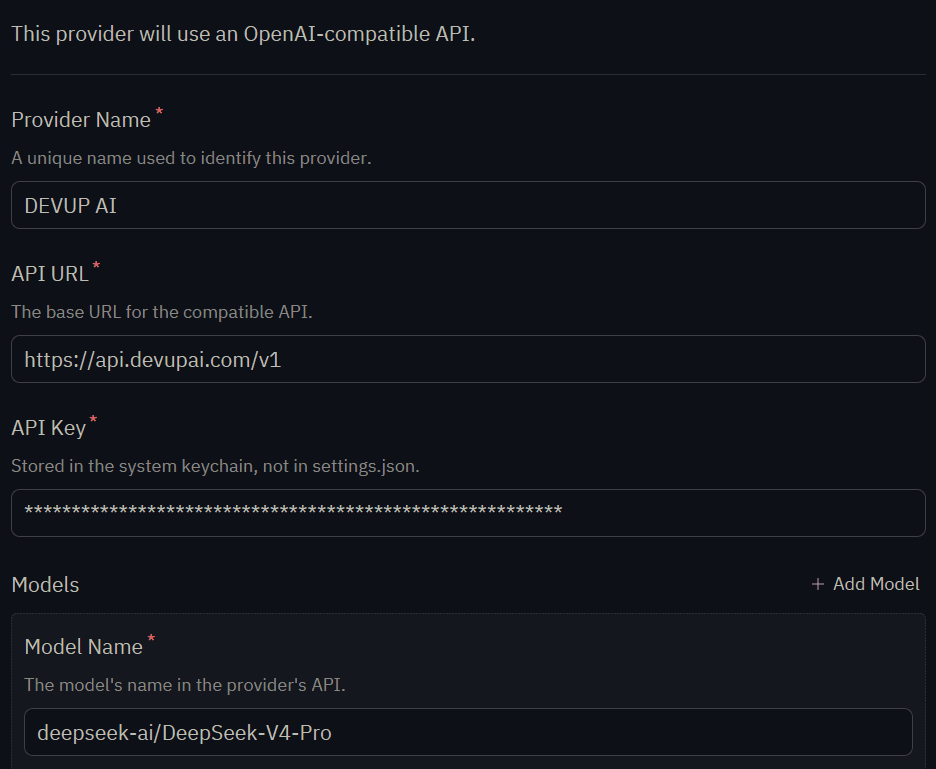
Zed stores the key in the system keychain, not in settings.json.
Find the context window for Max Tokens
Max Tokens is the model's context window. Read it from context_window in GET /v1/models:
$models = Invoke-RestMethod -Uri "https://api.devupai.com/v1/models" -Headers @{ Authorization = "Bearer $env:DEVUP_API_KEY" }
$models.data | Where-Object { $_.id -eq "deepseek-ai/DeepSeek-V4-Pro" } | Select-Object id, context_window
Enter the number it prints for the model you added.
Model capabilities
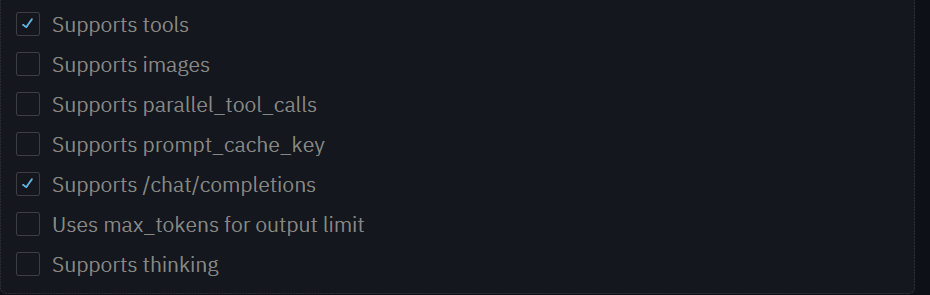
Capabilities for DeepSeek-V4-Pro
| Checkbox | Setting |
|---|---|
| Supports tools | On |
| Supports images | Off |
| Supports parallel_tool_calls | Off |
| Supports prompt_cache_key | Off |
| Supports /chat/completions | On |
| Uses max_tokens for output limit | Off |
| Supports thinking | Off |
Choose the model
Open the Agent Panel and pick the model under DEVUP AI.
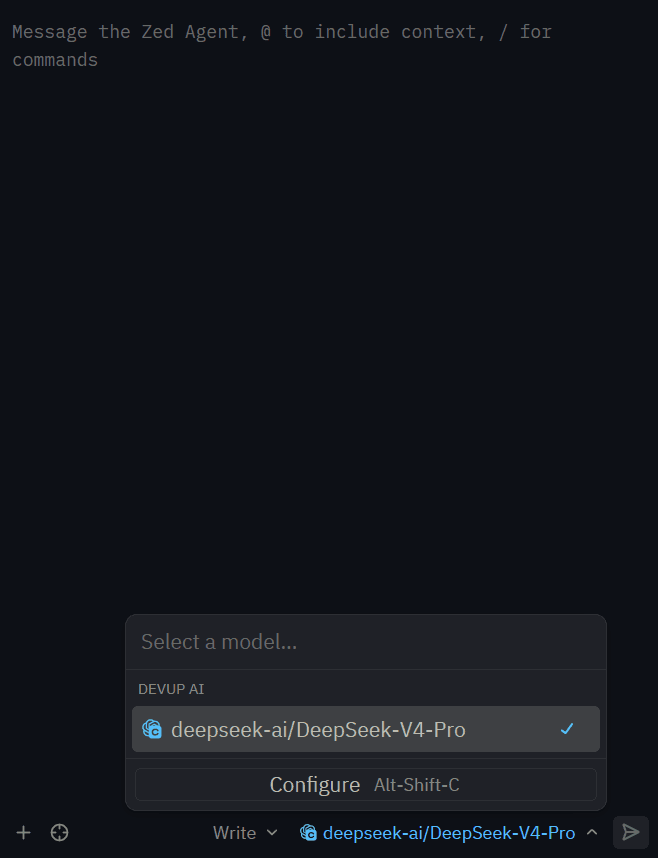
Chat with the Zed agent
Reply with exactly: Salam DEVUP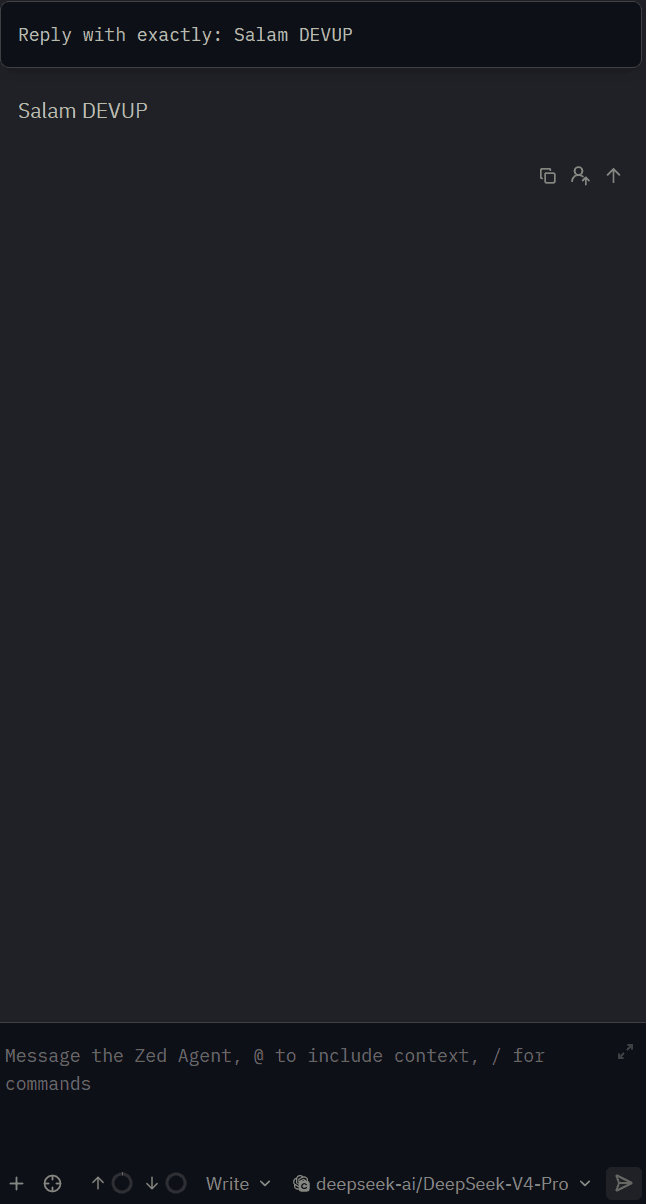
Let the agent edit files
Open a project folder, keep the Write profile selected next to the model picker, and ask:
Create hello.go that prints Salam DEVUP, then read the file back and tell me its first line.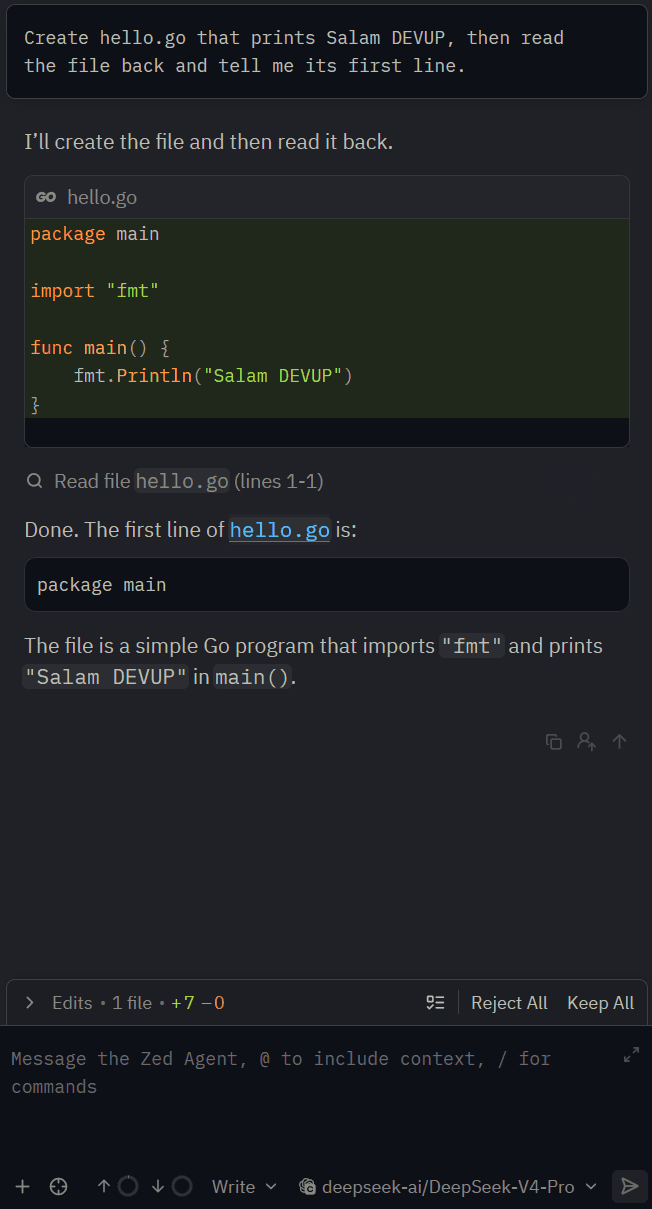
The agent creates the file, reads it back and answers. Review its changes with Keep All or Reject All.
Edit code inline
Select code, press Ctrl+Enter, and type your instruction:
Add a comment explaining this function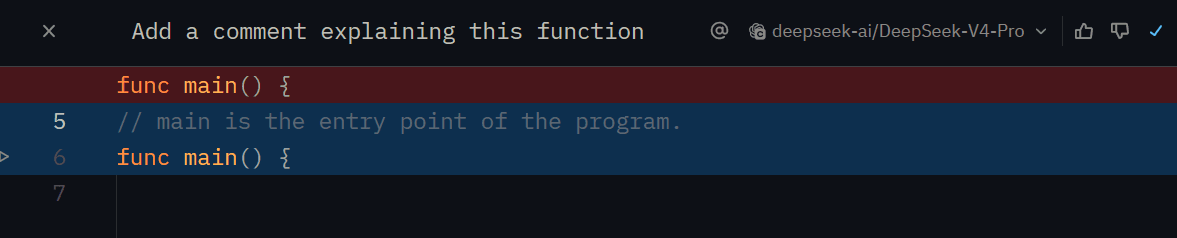
Choosing models
Add one model entry per catalog ID you want in Zed, each with its own context_window. The agent needs a model with tool calling. See Models and Tool Calling.
Troubleshooting
- The key is in the OpenAI section:Zed's built-in OpenAI provider is OpenAI's own service. Enter your DEVUP AI key only in the provider you added with Add Provider.
- The agent answers but does not change files:Select the Write profile next to the model picker, and keep Supports tools on for the model.
- Zed shows a context limit that does not match the model:Set Max Tokens to the context_window value from GET /v1/models, then save.
FAQ
Does Zed work with DEVUP AI?
Yes. Add an OpenAI-compatible provider in Zed's LLM Providers settings with the API URL https://api.devupai.com/v1 and your DEVUP AI key, then pick the model in the Agent Panel.
Can the Zed agent edit files with DEVUP AI models?
Yes. Keep Supports tools on and the Write profile selected, and the agent creates, reads and edits files in your project.
How is Zed usage billed on DEVUP AI?
Every request from Zed is a regular DEVUP AI API call, metered in Algerian Dinar on your account.
Where does Zed store my DEVUP AI key?
In the system keychain. It is not written to settings.json.
What goes in Max Tokens?
The model's context window: the context_window value that GET /v1/models returns for that model.
Does inline editing work with DEVUP AI?
Yes. Select code, press Ctrl+Enter and write your instruction; the inline assistant uses the DEVUP AI model you picked.