
Integrations
Open WebUI
Open WebUI is a self-hosted chat interface. Connect it to DEVUP AI and your team chats with DEVUP AI models and asks questions about its own documents.
Requirements
- Open WebUI, or Python 3.11 or 3.12 to install it;
- a DEVUP AI API key from https://devupai.com/dashboard/api-keys.
Connect DEVUP AI in the Open WebUI admin panel
- Open Admin Panel → Settings → Connections.
- Under OpenAI API, add a connection with URL https://api.devupai.com/v1 and your DEVUP AI key as the Bearer token.
- Leave API Type on Chat Completions or switch it to Responses; DEVUP AI works with both. Click the refresh icon to verify, then save.

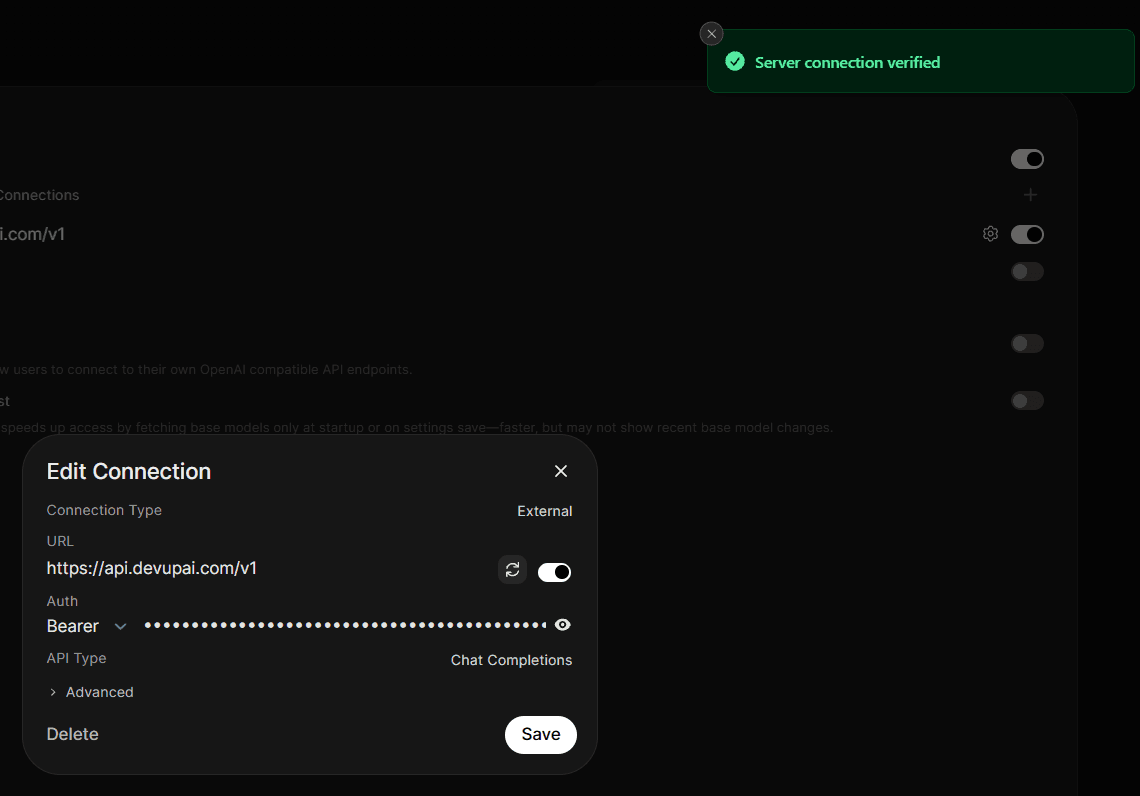
Connection settings
| Setting | Value |
|---|---|
| URL | https://api.devupai.com/v1 |
| Auth | Bearer, your DEVUP AI key |
| API Type | Chat Completions or Responses |
| Model IDs | empty for the full catalog, or a list of IDs |
| Forward cookies | off |
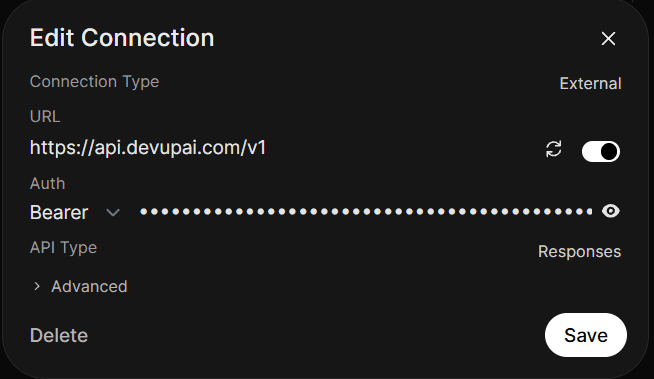
Configure Open WebUI with environment variables
Set these variables before you start Open WebUI. This PowerShell example also starts it on your own machine only.
$env:OPENAI_API_BASE_URL = "https://api.devupai.com/v1"
$env:OPENAI_API_KEY = "YOUR_DEVUP_API_KEY"
$env:ENABLE_OLLAMA_API = "false"
$env:RAG_EMBEDDING_ENGINE = "openai"
$env:RAG_EMBEDDING_MODEL = "BAAI/bge-m3"
$env:RAG_OPENAI_API_BASE_URL = "https://api.devupai.com/v1"
$env:RAG_OPENAI_API_KEY = "YOUR_DEVUP_API_KEY"
uv tool run --python 3.12 --from open-webui open-webui serve --host 127.0.0.1
Environment variables
| Variable | Value |
|---|---|
| OPENAI_API_BASE_URL | https://api.devupai.com/v1 |
| OPENAI_API_KEY | your DEVUP AI key |
| ENABLE_OLLAMA_API | false |
| RAG_EMBEDDING_ENGINE | openai |
| RAG_EMBEDDING_MODEL | BAAI/bge-m3 |
| RAG_OPENAI_API_BASE_URL | https://api.devupai.com/v1 |
| RAG_OPENAI_API_KEY | your DEVUP AI key |
With RAG_EMBEDDING_ENGINE set to openai, Open WebUI creates document embeddings on DEVUP AI instead of downloading a local embedding model.
Chat with DEVUP AI models
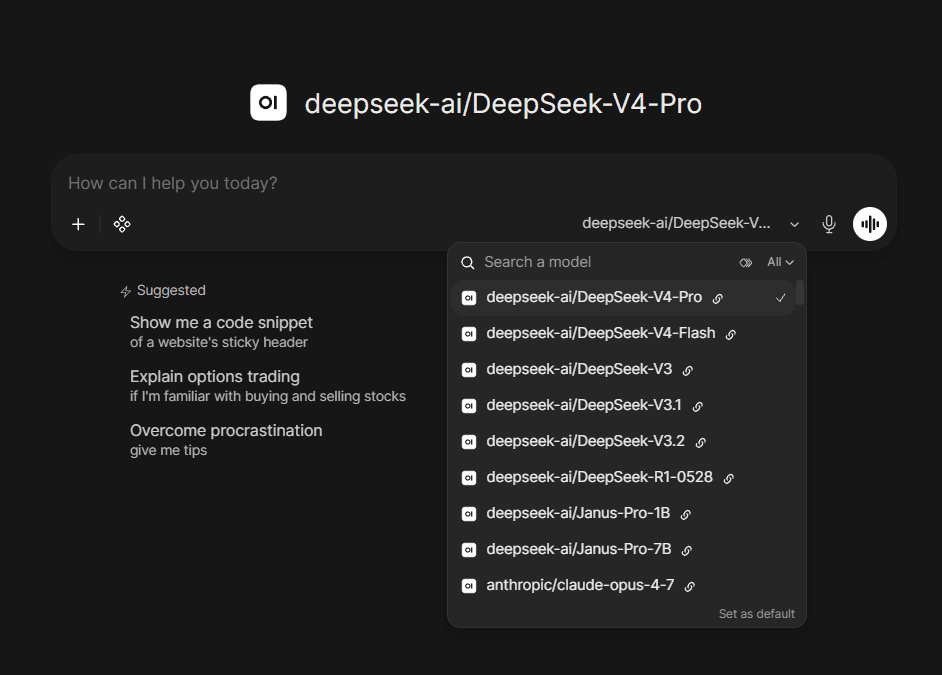
Pick a model and send:
Reply with exactly: Salam DEVUP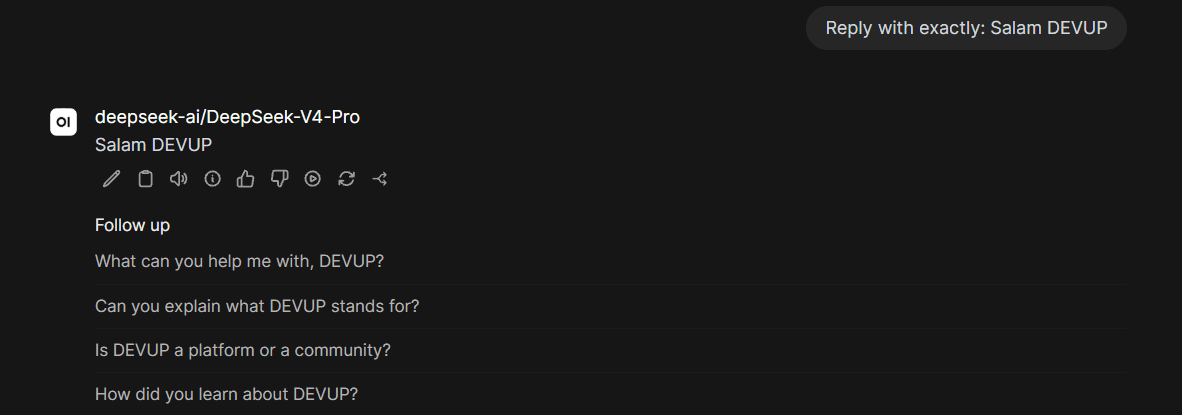
Use DEVUP AI embeddings for documents (RAG)
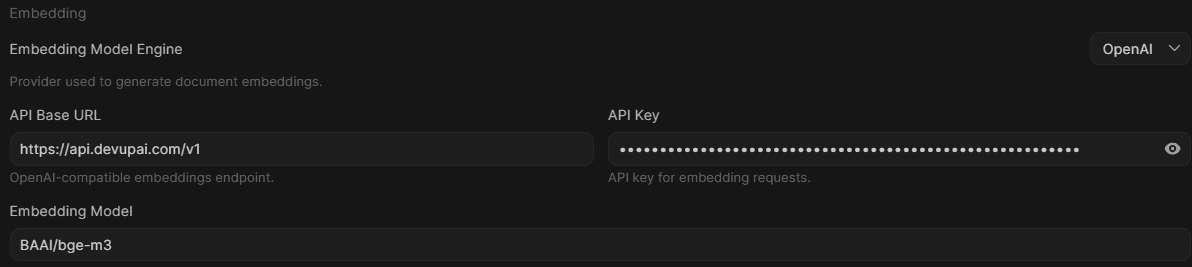
- Open Admin Panel → Settings → Documents.
- Set Embedding Model Engine to OpenAI, API Base URL to https://api.devupai.com/v1, your DEVUP AI key, and Embedding Model to BAAI/bge-m3.
- Upload a file in a chat and ask about it.
Try it with this file:
DEVUP AI internal note.
The warehouse access code for the Oran branch is DZ-7719.
The Algiers branch opens at 8:30.What is the warehouse access code for the Oran branch?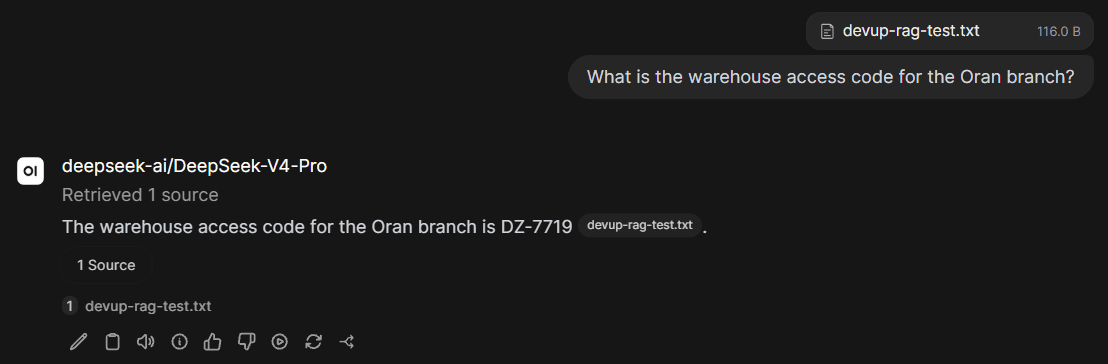
Open WebUI retrieved the file and answered DZ-7719, citing it as the source.
Show only the models your team needs
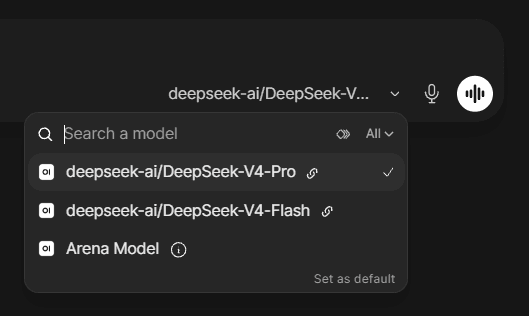
Open the connection's Advanced settings and add model IDs. Open WebUI then lists only those models; leave the list empty to show the full catalog.
Keep Open WebUI private
- Start it with --host 127.0.0.1 to keep it on your own machine. By default it listens on all network interfaces.
- Create the admin account right after the first start: the first account becomes the admin.
- Keep Forward cookies off on the DEVUP AI connection.
Choosing models
Use exact catalog IDs for chat models and for the embedding model. See Models and Embeddings for the full catalog and specifications.
Troubleshooting
- Open WebUI stops at first start with "memory allocation failed":It was downloading a local embedding model. Set RAG_EMBEDDING_ENGINE to openai with the DEVUP AI variables above, and embeddings run on DEVUP AI instead.
- The reply appears only after reloading the page:The reply is saved in the chat. Reload the page to see it.
- The model list is empty:Check that the URL is https://api.devupai.com/v1 and the key is correct, then click the refresh icon in Edit Connection. It should show Server connection verified.
FAQ
Does Open WebUI work with DEVUP AI?
Yes. Add an OpenAI API connection with URL https://api.devupai.com/v1 and your DEVUP AI key, and the DEVUP AI models appear in the model picker.
Can Open WebUI answer questions from my documents with DEVUP AI?
Yes. Set the embedding engine to OpenAI with the DEVUP AI URL and key, and use BAAI/bge-m3 as the embedding model.
How is Open WebUI usage billed on DEVUP AI?
Every chat and embedding request is a regular DEVUP AI API call, metered in Algerian Dinar on your account.
Can I limit which models my team sees?
Yes. Add the model IDs you want under the connection's Advanced settings. Leave the list empty to show the full catalog.
What is Arena Model in the model list?
A built-in Open WebUI feature for comparing models. It is not a DEVUP AI model.
Does Open WebUI work in Arabic?
Yes. Open WebUI follows the browser language, including Arabic.
Related integrations
- n8n: Workflow automation with AI agents.
- LlamaIndex: Retrieval and RAG pipelines in Python.
- OpenAI SDK: OpenAI SDKs pointed at DEVUP AI.
- Python: The official OpenAI Python SDK on DEVUP AI.