
Integrations
OpenCode
OpenCode is an open-source coding agent for the terminal. Add DEVUP AI to it as a custom OpenAI-compatible provider.
Prerequisites
- Node.js and npm installed on your system.
- A DEVUP AI API key from the Dashboard → API Keys.
Install
Install OpenCode globally using npm, then verify the installation:
npm install -g opencode-ai
opencode --version
Set your API key
Set your DEVUP AI API key as an environment variable in your shell:
export DEVUP_API_KEY="your-key"Add the provider
Configure DEVUP AI in opencode.json:
{
  "$schema": "https://opencode.ai/config.json",
  "provider": {
    "devupai": {
      "npm": "@ai-sdk/openai-compatible",
      "name": "DEVUP AI",
      "options": {
        "baseURL": "https://api.devupai.com/v1",
        "apiKey": "{env:DEVUP_API_KEY}"
      },
      "models": {
        "deepseek-ai/DeepSeek-V4-Pro": {
          "name": "DeepSeek V4 Pro",
          "limit": { "context": 1048576, "output": 16000 }
        }
      }
    }
  },
  "model": "devupai/deepseek-ai/DeepSeek-V4-Pro"
}| Field | Meaning |
|---|---|
| devupai | provider ID |
| npm | @ai-sdk/openai-compatible |
| baseURL | https://api.devupai.com/v1 |
| apiKey | {env:DEVUP_API_KEY} reads the environment variable |
| model key | deepseek-ai/DeepSeek-V4-Pro, the exact catalog ID |
| limit.context / limit.output | the limits OpenCode uses for this model |
| model | devupai/<model-id>, the default model |
Place the file in your project root, or in ~/.config/opencode/opencode.json (Windows: %USERPROFILE%\.config\opencode\opencode.json) for all projects.
Check the model
Run opencode models devupai to verify that OpenCode recognizes the configured provider:
opencode models devupaiThis command lists devupai/deepseek-ai/DeepSeek-V4-Pro as an active model.
Run your first task
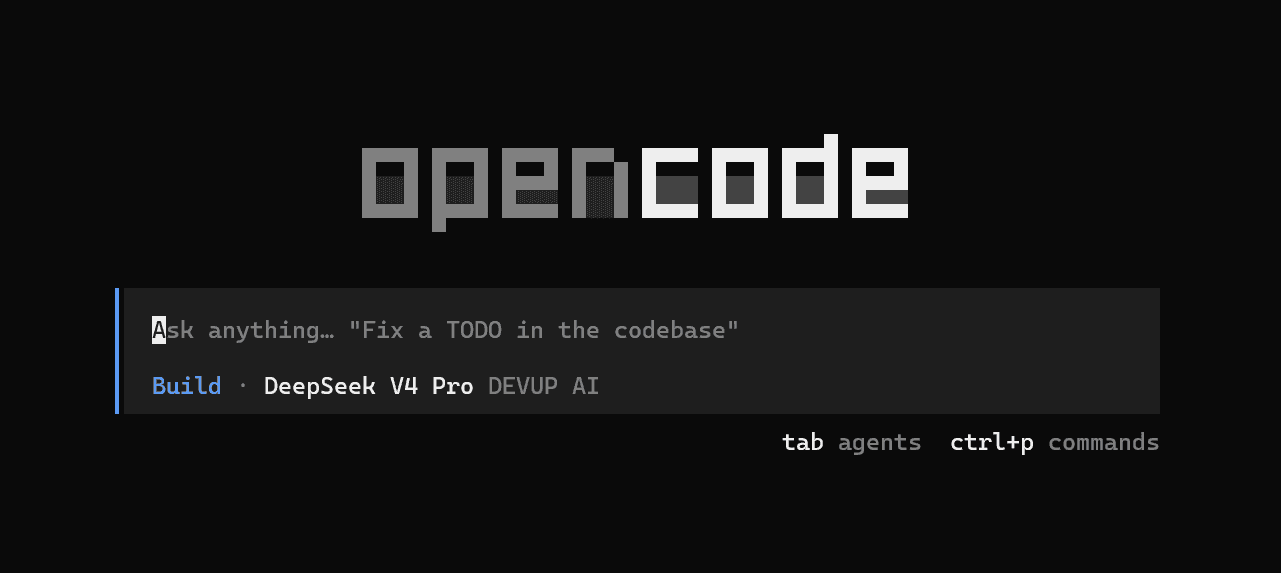
Start the interactive interface by running opencode. OpenCode opens with DEVUP AI selected:
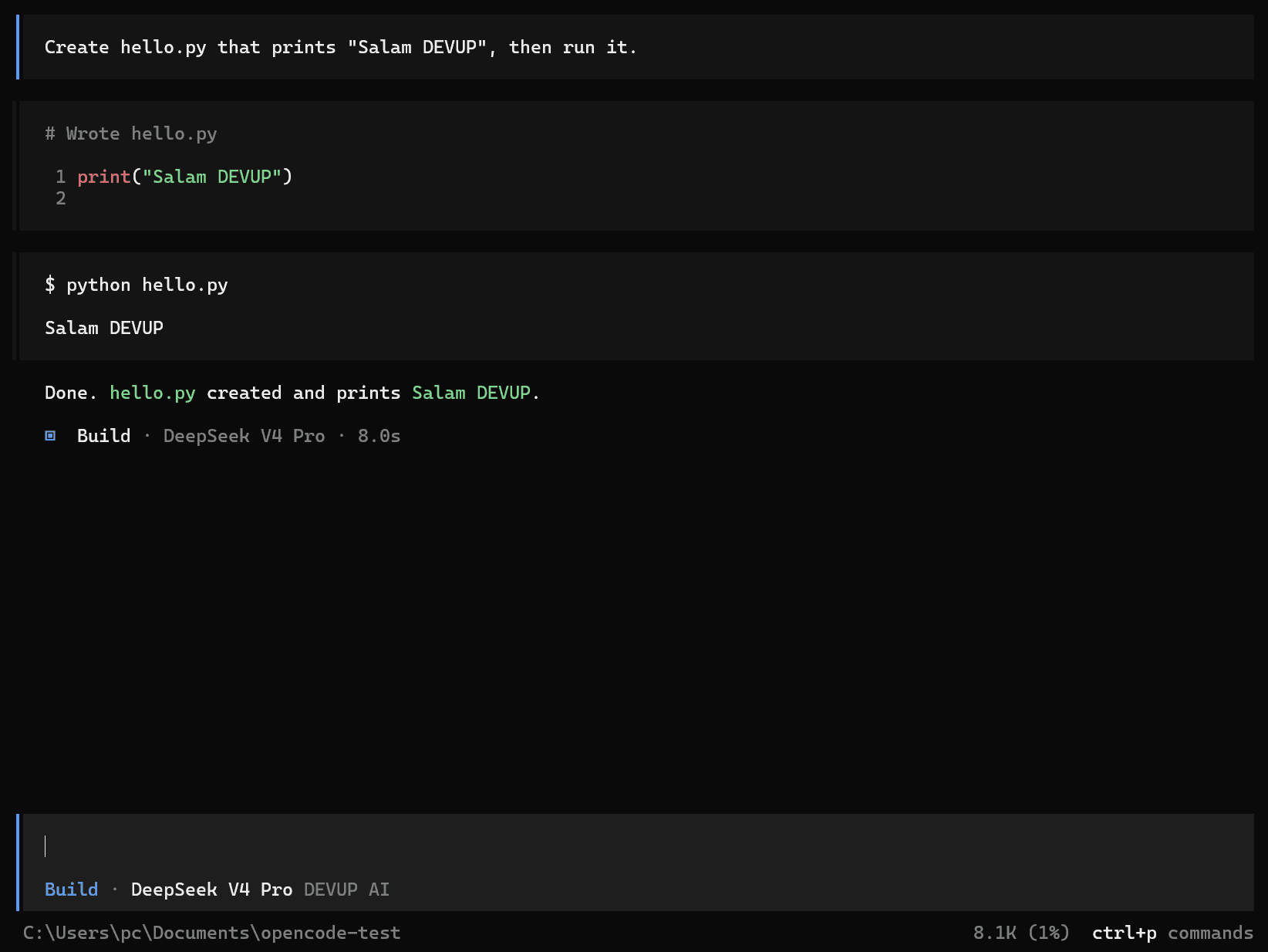
Enter your task prompt in the interactive prompt bar:
Create hello.py that prints "Salam DEVUP", then run it.OpenCode executes tools to write the file, executes the shell command, and displays context usage:
Choosing a model
Add more models under models using their exact catalog IDs. For agent tasks, choose models whose catalog entry supports tool calling. Browse full details in Tool Calling and Models.
Troubleshooting
- Authentication error (401)Make sure DEVUP_API_KEY is set in the same shell that starts OpenCode, with no Bearer prefix.
- Model not foundThe model key and the part after devupai/ must match the catalog ID exactly.
- opencode run prints nothingStart the interactive UI with opencode instead; the non-interactive command can stop after startup in some OpenCode versions.